Jax's Blog

Happy Coding,Happy Life


  • Home

  • About

  • Tags

  • Archives

dubbo服务在docker容器中进行服务编排

Posted on 2019-01-23 | | Visitors:

问题起源

最近在对现有业务系统进行Dubbo服务化重构,部署方式采用Docker部署,注册中心采用nacos。当部署完成之后会发现消费者服务能正常启动,服务在注册中心显示正常,但是进行服务调用的时候就会报错,对应的服务无响应信息。

1
com.alibaba.dubbo.remoting.RemotingException: message can not send, because channel is closed

问题追溯

报错信息显示comsumer地址是172.18.*.*,这是docker容器的ip地址,猜想应该是容器之间无法进行调用。把docker服务启动参数修改成宿主机的内网地址,依然还是报错。是否应该是服务端口号不一致?查看dubbo端口绑定源码。

1
2
3
4
5
6
7
8
9
10
11
12
13
14
15
16
17
18
19
20
21
22
23
24
25
26
27
28
29
30
31
32
33
34
35
36
37
38
39
40
41
42
43
44
45
46
47
48
/**
* Register port and bind port for the provider, can be configured separately
* Configuration priority: environment variable -> java system properties -> port property in protocol config file
* -> protocol default port
*
* @param protocolConfig
* @param name
* @return
*/
private Integer findConfigedPorts(ProtocolConfig protocolConfig, String name, Map<String, String> map) {
Integer portToBind = null;

// parse bind port from environment
String port = getValueFromConfig(protocolConfig, Constants.DUBBO_PORT_TO_BIND);
portToBind = parsePort(port);

// if there's no bind port found from environment, keep looking up.
if (portToBind == null) {
portToBind = protocolConfig.getPort();
if (provider != null && (portToBind == null || portToBind == 0)) {
portToBind = provider.getPort();
}
final int defaultPort = ExtensionLoader.getExtensionLoader(Protocol.class).getExtension(name).getDefaultPort();
if (portToBind == null || portToBind == 0) {
portToBind = defaultPort;
}
if (portToBind == null || portToBind <= 0) {
portToBind = getRandomPort(name);
if (portToBind == null || portToBind < 0) {
portToBind = getAvailablePort(defaultPort);
putRandomPort(name, portToBind);
}
logger.warn("Use random available port(" + portToBind + ") for protocol " + name);
}
}

// save bind port, used as url's key later
map.put(Constants.BIND_PORT_KEY, String.valueOf(portToBind));

// registry port, not used as bind port by default
String portToRegistryStr = getValueFromConfig(protocolConfig, Constants.DUBBO_PORT_TO_REGISTRY);
Integer portToRegistry = parsePort(portToRegistryStr);
if (portToRegistry == null) {
portToRegistry = portToBind;
}

return portToRegistry;
}

整个方法最核心的代码:

1
String port = getValueFromConfig(protocolConfig, Constants.DUBBO_PORT_TO_BIND);

通过读取系统环境变量:DUBBO_PORT_TO_BIND获取暴露端口。如何修改这个参数呢?想到了docker三剑客之docker-compose。现在多个服务要逐个启动,正好使用compose可以解决这个问题。

Read more »

spring boot starter for aliYunMQ

Posted on 2018-12-20 | | Visitors:

spring boot starter for aliYunMQ

项目介绍

消息队列 RocketMQ 是阿里巴巴自研消息产品,服务于整个集团已超过 13 年,经过阿里巴巴交易核心链路反复打磨与历年双十一购物狂欢节的严苛考验,是一个真正具备低延迟、高并发、高可用、高可靠,可支撑万亿级数据洪峰的分布式消息中间件。

本模块实现了阿里云MQ的以下几个功能。

  • 同步发送消息
  • 异步发送消息
  • 广播发送消息
  • 有序发送和消费消息
  • 发送延时消息
  • 消息tag支持
  • 自动序列化和反序列化消息体
  • 发送事务消息

如何集成

1、添加依赖
1
2
3
4
5
<dependency>
<groupId>com.shopping</groupId>
<artifactId>spring-boot-starter-aliyunmq</artifactId>
<version>1.0.0.RELEASE</version>
</dependency>

因为我们有自己的maven私库,所以没有po到maven公有库里。配置代码库:

1
2
3
4
5
6
7
8
9
10
11
12
13
14
15
16
17
<repositories>
<repository>
<id>shopping</id>
<url>http://maven.sucok.com/content/groups/public</url>
</repository>
<repository>
<id>sonatype-nexus-staging</id>
<name>Sonatype Nexus Staging</name>
<url>http://maven.aliyun.com/nexus/content/groups/public</url>
<releases>
<enabled>true</enabled>
</releases>
<snapshots>
<enabled>true</enabled>
</snapshots>
</repository>
</repositories>

2、添加配置

1
2
3
4
5
6
7
8
9
aliyun.mq.onsAddr=<地址>
aliyun.mq.accessKey=
aliyun.mq.secretKey=
aliyun.mq.TopicIdRblc=
#为false表示不引入producer,为true则producerId必须提供
aliyun.mq.producer.enabled=true
aliyun.mq.producer.producerId=
#为false表示不引入consumer,为true则consumerId必须提供
aliyun.mq.consumer.enabled=true

3、添加生产者

顺序消息

按照消息的发布顺序进行顺序消费(FIFO),支持全局顺序与分区顺序

1
2
3
4
5
@Autowired
OrderMessageTemplate orderMessageTemplate;

//发送
orderMessageTemplate(new MessageEvent("{topic}", "{tag}", msgBody));

普通消息,定时消息,延迟消息生产者

消息可在指定的时间点(如2019/01/01 15:00:00)或延迟时间(如30分钟后)进行投递

1
2
3
4
5
6
7
8
9
10
11
12
@Autowired
RocketMQTemplate rocketMQTemplate;

// 发送普通消息
rocketMQTemplate.send(new MessageEvent("{topic}", "{tag}", msgBody));
// 延时消息,单位毫秒(ms),在指定延迟时间(当前时间之后)进行投递,例如消息在 3 秒后投递
rocketMQTemplate.sendAsync(new MessageEvent("{topic}", "{tag}", msgBody),3000);
// 延时消息,指定时间进行投递。例如消息在1天之后投递
Calendar cal = Calendar.getInstance();
cal.setTime(date);
cal.add(Calendar.DATE, 1);
rocketMQTemplate.sendAsync(new MessageEvent("{topic}", "{tag}", msgBody), cal.getTime(););

事务消息

类似 X/Open XA 的分布事务功能,既可做到系统间的解耦,又能保证数据的最终一致性

1
2
3
4
5
6
7
8
9
10
11
12
13
14
15
16
17
18
19
20
21
22
23
@Autowired
TransactionMessageTemplate messageTemplate;

// 发送事务消息
/**封装消息*/
MessageEvent event = new MessageEvent();
event.setTopic("base_sms");
event.setTag("Tag_user");

User user = new User();
user.setName("Paul");
user.setAdds("北京市 昌平区 龙锦苑东二区");
/**封装任意类型领域对象*/
event.setDomain(user);

transactionMessageTemplate.send(event,new TransactionExecuter() {
@Override
public TransactionStatus executer(MessageEvent messageEvent, Long hashValue, Object arg) {
String transactionId = TransactionDemo.createTransaction();
TransactionStatus status = TransactionDemo.checker();
return status;
}
),"参数对象,以本字符串示例,会传递给TransactionExecuter.executer");

4、添加订阅者

普通消息订阅者,实现AbstractMessageListener接口

  • topic:支持SpringEl风格,取配置文件中的值。(必填)
  • tag:标签。* 标识所有。 (必填)
  • consumerId:消费者Id。 (必填)
  • consumeMode:消费模式 有序(单线程)或者无序(多线程) (默认无序)
1
2
3
4
5
6
7
8
9
10
@RocketMQMessageListener(topic = "${aliyun.mq.TopicIdRblc}", tag = "giveCoupon", consumerId = "CID_shopping_giveCoupon", consumeMode = MessageExtConst.CONSUME_MODE_ORDERLY)
public class GiveCouponMessageListener extends AbstractMessageListener<MessageEvent> {
/**
* 消息处理
*/
@Override
public void handle(MessageEvent messageEvent) throws Exception {
//TODO 业务处理
}
}

顺序消息订阅者,实现AbstractMessageOrderListener

1
2
3
4
5
6
7
8
9
10
@RocketMQMessageListener(topic = "${aliyun.mq.TopicIdRblc}", tag = "giveCoupon", consumerId = "CID_shopping_giveCoupon", consumeMode = MessageExtConst.CONSUME_MODE_ORDERLY)
public class GiveCouponMessageListener extends AbstractMessageOrderListener <MessageEvent> {
/**
* 消息处理
*/
@Override
public void handle(MessageEvent messageEvent) throws Exception {
//TODO 业务处理
}
}

5、相关参考

  • 官网Demo地址:https://github.com/AliwareMQ/mq-demo

frd搭建内网穿透服务

Posted on 2018-11-27 | | Visitors:

frp 的作用

  • 利用处于内网或防火墙后的机器,对外网环境提供 http 或 https 服务。
  • 对于 http, https 服务支持基于域名的虚拟主机,支持自定义域名绑定,使多个域名可以共用一个80端口。
  • 利用处于内网或防火墙后的机器,对外网环境提供 tcp 和 udp 服务,例如在家里通过 ssh 访问处于公司内网环境内的主机。

架构

Read more »

java开发工具类网站

Posted on 2018-11-23 | | Visitors:
yml文件与properties文件互转

http://www.toyaml.com/index.html

druid时区设置

Posted on 2018-11-23 | | Visitors:

问题描述

使用druid最为连接池。发现保存数据与系统相差8小时

解决方案

设置druid时区参数:serverTimezone为GMT+8,如:

jdbc:mysql://localhost:3306/rblcmall?serverTimezone=GMT%2B8&createDatabaseIfNotExist=true&useUnicode=true&useUnicode=true&characterEncoding=utf8&autoReconnect=true&v

如何在团队中推行Scrum敏捷开发

Posted on 2018-11-23 | | Visitors:

当时提出敏捷开发的这个人或者这个群体,
提出来的是敏捷开发的四个价值观:

  • 以人为本:重视个体间的合作互动
  • 目标导向:我们最终交付的是“可使用的软件”,而不是一堆繁重的文档
  • 客户为先:理解客户需求,与客户合作
  • 拥抱改变:客户会在不断变化需求的过程中明晰真正需要的,因此敏捷需要拥抱变化

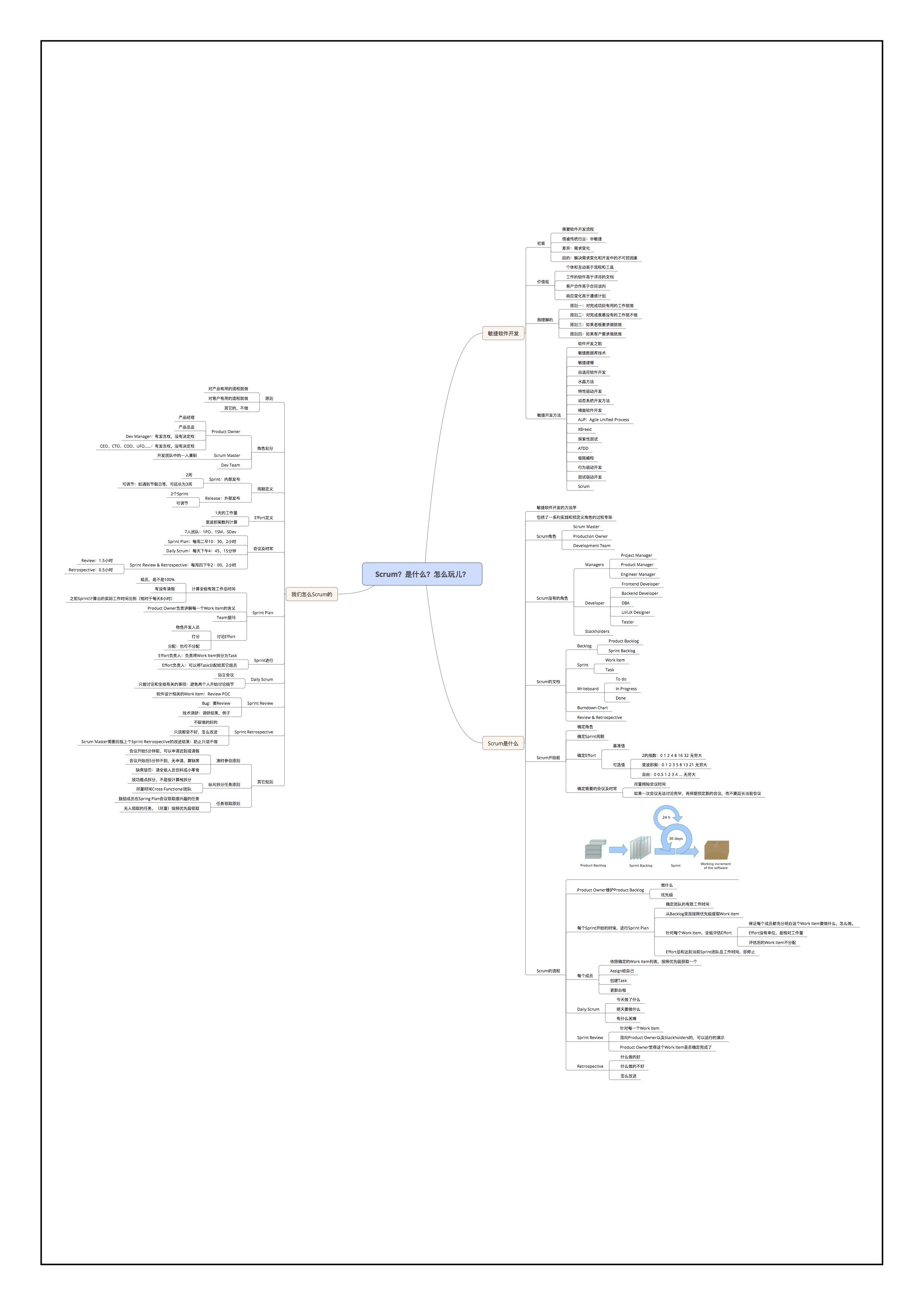
了解Scrum 是什么很重要

Scrum是什么

Read more »

Spring Boot中的事务管理

Posted on 2018-09-20 | | Visitors:

什么是事务?

我们在开发企业应用时,对于业务人员的一个操作实际是对数据读写的多步操作的结合。由于数据操作在顺序执行的过程中,任何一步操作都有可能发生异常,异常会导致后续操作无法完成,此时由于业务逻辑并未正确的完成,之前成功操作数据的并不可靠,需要在这种情况下进行回退。

事务的作用就是为了保证用户的每一个操作都是可靠的,事务中的每一步操作都必须成功执行,只要有发生异常就回退到事务开始未进行操作的状态。

事务管理是Spring框架中最为常用的功能之一,我们在使用Spring Boot开发应用时,大部分情况下也都需要使用事务。

快速入门

在Spring Boot中,当我们使用了spring-boot-starter-jdbc或spring-boot-starter-data-jpa依赖的时候,框架会自动默认分别注入DataSourceTransactionManager或JpaTransactionManager。所以我们不需要任何额外配置就可以用@Transactional注解进行事务的使用。

我们以之前实现的《用spring-data-jpa访问数据库》的示例Chapter3-2-2作为基础工程进行事务的使用常识。

在该样例工程中(若对该数据访问方式不了解,可先阅读该文章),我们引入了spring-data-jpa,并创建了User实体以及对User的数据访问对象UserRepository,在ApplicationTest类中实现了使用UserRepository进行数据读写的单元测试用例,如下:

1
2
3
4
5
6
7
8
9
10
11
12
13
14
15
16
17
18
19
20
21
22
23
24
25
26
27
@RunWith(SpringJUnit4ClassRunner.class)
@SpringApplicationConfiguration(Application.class)
public class ApplicationTests {

@Autowired
private UserRepository userRepository;

@Test
public void test() throws Exception {

// 创建10条记录
userRepository.save(new User("AAA", 10));
userRepository.save(new User("BBB", 20));
userRepository.save(new User("CCC", 30));
userRepository.save(new User("DDD", 40));
userRepository.save(new User("EEE", 50));
userRepository.save(new User("FFF", 60));
userRepository.save(new User("GGG", 70));
userRepository.save(new User("HHH", 80));
userRepository.save(new User("III", 90));
userRepository.save(new User("JJJ", 100));

// 省略后续的一些验证操作
}


}

可以看到,在这个单元测试用例中,使用UserRepository对象连续创建了10个User实体到数据库中,下面我们人为的来制造一些异常,看看会发生什么情况。

通过定义User的name属性长度为5,这样通过创建时User实体的name属性超长就可以触发异常产生。

1
2
3
4
5
6
7
8
9
10
11
12
13
14
15
16
@Entity
public class User {

@Id
@GeneratedValue
private Long id;

@Column(nullable = false, length = 5)
private String name;

@Column(nullable = false)
private Integer age;

// 省略构造函数、getter和setter

}

修改测试用例中创建记录的语句,将一条记录的name长度超过5,如下:name为HHHHHHHHH的User对象将会抛出异常。

1
2
3
4
5
6
7
8
9
10
11
// 创建10条记录
userRepository.save(new User("AAA", 10));
userRepository.save(new User("BBB", 20));
userRepository.save(new User("CCC", 30));
userRepository.save(new User("DDD", 40));
userRepository.save(new User("EEE", 50));
userRepository.save(new User("FFF", 60));
userRepository.save(new User("GGG", 70));
userRepository.save(new User("HHHHHHHHHH", 80));
userRepository.save(new User("III", 90));
userRepository.save(new User("JJJ", 100));

执行测试用例,可以看到控制台中抛出了如下异常,name字段超长:

1
2
3
4
5
6
2016-05-27 10:30:35.948  WARN 2660 --- [           main] o.h.engine.jdbc.spi.SqlExceptionHelper   : SQL Error: 1406, SQLState: 22001
2016-05-27 10:30:35.948 ERROR 2660 --- [ main] o.h.engine.jdbc.spi.SqlExceptionHelper : Data truncation: Data too long for column 'name' at row 1
2016-05-27 10:30:35.951 WARN 2660 --- [ main] o.h.engine.jdbc.spi.SqlExceptionHelper : SQL Warning Code: 1406, SQLState: HY000
2016-05-27 10:30:35.951 WARN 2660 --- [ main] o.h.engine.jdbc.spi.SqlExceptionHelper : Data too long for column 'name' at row 1

org.springframework.dao.DataIntegrityViolationException: could not execute statement; SQL [n/a]; nested exception is org.hibernate.exception.DataException: could not execute statement

此时查数据库中,创建了name从AAA到GGG的记录,没有HHHHHHHHHH、III、JJJ的记录。而若这是一个希望保证完整性操作的情况下,AAA到GGG的记录希望能在发生异常的时候被回退,这时候就可以使用事务让它实现回退,做法非常简单,我们只需要在test函数上添加@Transactional注解即可。

1
2
3
4
5
6
7
@Test
@Transactional
public void test() throws Exception {

// 省略测试内容

}

再来执行该测试用例,可以看到控制台中输出了回滚日志

1
2
3
4
5
6
7
8
9
(Rolled back transaction for test context),

2016-05-27 10:35:32.210 WARN 5672 --- [ main] o.h.engine.jdbc.spi.SqlExceptionHelper : SQL Error: 1406, SQLState: 22001
2016-05-27 10:35:32.210 ERROR 5672 --- [ main] o.h.engine.jdbc.spi.SqlExceptionHelper : Data truncation: Data too long for column 'name' at row 1
2016-05-27 10:35:32.213 WARN 5672 --- [ main] o.h.engine.jdbc.spi.SqlExceptionHelper : SQL Warning Code: 1406, SQLState: HY000
2016-05-27 10:35:32.213 WARN 5672 --- [ main] o.h.engine.jdbc.spi.SqlExceptionHelper : Data too long for column 'name' at row 1
2016-05-27 10:35:32.221 INFO 5672 --- [ main] o.s.t.c.transaction.TransactionContext : Rolled back transaction for test context [DefaultTestContext@1d7a715 testClass = ApplicationTests, testInstance = com.didispace.ApplicationTests@95a785, testMethod = test@ApplicationTests, testException = org.springframework.dao.DataIntegrityViolationException: could not execute statement; SQL [n/a]; nested exception is org.hibernate.exception.DataException: could not execute statement, mergedContextConfiguration = [MergedContextConfiguration@11f39f9 testClass = ApplicationTests, locations = '{}', classes = '{class com.didispace.Application}', contextInitializerClasses = '[]', activeProfiles = '{}', propertySourceLocations = '{}', propertySourceProperties = '{}', contextLoader = 'org.springframework.boot.test.SpringApplicationContextLoader', parent = [null]]].

org.springframework.dao.DataIntegrityViolationException: could not execute statement; SQL [n/a]; nested exception is org.hibernate.exception.DataException: could not execute statement

再看数据库中,User表就没有AAA到GGG的用户数据了,成功实现了自动回滚。

这里主要通过单元测试演示了如何使用@Transactional注解来声明一个函数需要被事务管理,通常我们单元测试为了保证每个测试之间的数据独立,会使用@Rollback注解让每个单元测试都能在结束时回滚。而真正在开发业务逻辑时,我们通常在service层接口中使用@Transactional来对各个业务逻辑进行事务管理的配置,例如:

1
2
3
4
5
6
public interface UserService {

@Transactional
User login(String name, String password);

}

事务详解

上面的例子中我们使用了默认的事务配置,可以满足一些基本的事务需求,但是当我们项目较大较复杂时(比如,有多个数据源等),这时候需要在声明事务时,指定不同的事务管理器。对于不同数据源的事务管理配置可以见《Spring Boot多数据源配置与使用》中的设置。在声明事务时,只需要通过value属性指定配置的事务管理器名即可,例如:@Transactional(value=”transactionManagerPrimary”)。

除了指定不同的事务管理器之后,还能对事务进行隔离级别和传播行为的控制,下面分别详细解释:

隔离级别

隔离级别是指若干个并发的事务之间的隔离程度,与我们开发时候主要相关的场景包括:脏读取、重复读、幻读。

我们可以看org.springframework.transaction.annotation.Isolation枚举类中定义了五个表示隔离级别的值:

1
2
3
4
5
6
7
public enum Isolation {
DEFAULT(-1),
READ_UNCOMMITTED(1),
READ_COMMITTED(2),
REPEATABLE_READ(4),
SERIALIZABLE(8);
}
  • DEFAULT:这是默认值,表示使用底层数据库的默认隔离级别。对大部分数据库而言,通常这值就是:READ_COMMITTED。
  • READ_UNCOMMITTED:该隔离级别表示一个事务可以读取另一个事务修改但还没有提交的数据。该级别不能防止脏读和不可重复读,因此很少使用该隔离级别。
  • READ_COMMITTED:该隔离级别表示一个事务只能读取另一个事务已经提交的数据。该级别可以防止脏读,这也是大多数情况下的推荐值。
  • REPEATABLE_READ:该隔离级别表示一个事务在整个过程中可以多次重复执行某个查询,并且每次返回的记录都相同。即使在多次查询之间有新增的数据满足该查询,这些新增的记录也会被忽略。该级别可以防止脏读和不可重复读。
  • SERIALIZABLE:所有的事务依次逐个执行,这样事务之间就完全不可能产生干扰,也就是说,该级别可以防止脏读、不可重复读以及幻读。但是这将严重影响程序的性能。通常情况下也不会用到该级别。
    指定方法:通过使用isolation属性设置,例如:

@Transactional(isolation = Isolation.DEFAULT)

传播行为

所谓事务的传播行为是指,如果在开始当前事务之前,一个事务上下文已经存在,此时有若干选项可以指定一个事务性方法的执行行为。

我们可以看org.springframework.transaction.annotation.Propagation枚举类中定义了6个表示传播行为的枚举值:

1
2
3
4
5
6
7
8
9
public enum Propagation {
REQUIRED(0),
SUPPORTS(1),
MANDATORY(2),
REQUIRES_NEW(3),
NOT_SUPPORTED(4),
NEVER(5),
NESTED(6);
}
  • REQUIRED:如果当前存在事务,则加入该事务;如果当前没有事务,则创建一个新的事务。
  • SUPPORTS:如果当前存在事务,则加入该事务;如果当前没有事务,则以非事务的方式继续运行。
  • MANDATORY:如果当前存在事务,则加入该事务;如果当前没有事务,则抛出异常。
  • REQUIRES_NEW:创建一个新的事务,如果当前存在事务,则把当前事务挂起。
  • NOT_SUPPORTED:以非事务方式运行,如果当前存在事务,则把当前事务挂起。
  • NEVER:以非事务方式运行,如果当前存在事务,则抛出异常。
  • NESTED:如果当前存在事务,则创建一个事务作为当前事务的嵌套事务来运行;如果当前没有事务,则该取值等价于REQUIRED。

指定方法:通过使用propagation属性设置,例如:

1
@Transactional(propagation = Propagation.REQUIRED)

微信支付多个公众号小程序共用一个商户号

Posted on 2018-09-13 | | Visitors:

可共用的条件

  1. 微信公众号与小程序已经通过认证并且主体一致。
  2. 如主体不一致,需提交授权函,经过微信支付业务审核后, APPID才可确认申请;

授权方式

  1. 进入微信支付商户平台(pay.weixin.qq.com)。
  2. 进入产品中心->appid授权管理->新增授权。
  3. 新增授权之后,进入公众号或者小程序的微信支付,M-A授权管理同意授权。则关联成功。

小程序复用公众号认证

  1. 进入公众号,关联小程序,点击详情:复用公众号认证资料

xxl-job使用

Posted on 2018-08-20 | | Visitors:

项目接入

接入文档

填坑1 执行器外网ip地址绑定

  • 如果使用公网的IP填写到执行器的IP中,则会报错提示:
1
2
3
4
5
6
7
8
9
10
11
12
13
14
java.net.BindException: Cannot assign requested address
at sun.nio.ch.Net.bind0(Native Method)
at sun.nio.ch.Net.bind(Net.java:433)
at sun.nio.ch.Net.bind(Net.java:425)
at sun.nio.ch.ServerSocketChannelImpl.bind(ServerSocketChannelImpl.java:223)
at sun.nio.ch.ServerSocketAdaptor.bind(ServerSocketAdaptor.java:74)
at org.eclipse.jetty.server.ServerConnector.open(ServerConnector.java:298)
at org.eclipse.jetty.server.AbstractNetworkConnector.doStart(AbstractNetworkConnector.java:80)
at org.eclipse.jetty.server.ServerConnector.doStart(ServerConnector.java:236)
at org.eclipse.jetty.util.component.AbstractLifeCycle.start(AbstractLifeCycle.java:68)
at org.eclipse.jetty.server.Server.doStart(Server.java:431)
at org.eclipse.jetty.util.component.AbstractLifeCycle.start(AbstractLifeCycle.java:68)
at com.xxl.job.core.rpc.netcom.jetty.server.JettyServer$1.run(JettyServer.java:46)
at java.lang.Thread.run(Thread.java:745)
  • 原因是:在云服务器中,一般只有一个内网网卡,外网IP地址不是直接配置在服务器中,而是配置在服务器外层的网关上,做了一层映射转发。所以jetty服务是无法绑定公网IP地址的。
  • 解决方法:ip填写0.0.0.0或者不填。然后在后台执行器管理中,手动修改online机器地址,把ip改成执行器的外网IP。

苹果开发者账号问题

Posted on 2018-06-23 | | Visitors:

苹果开发者账号更新协议,需要新增手机号码。

The Apple Developer Program License Agreement has been updated.

In order to access certain membership resources, you must accept the latest license agreement. First, you’ll need to update the mobile phone number associated with your Apple ID. Your mobile phone number must be based in your country/region. Edit this number in the Account section of appleid.apple.com, and return to your developer account to continue.

解决方案

可以点击按钮进入appid.apple.com官网进行更改手机号码信息,但是需要回答安全问题,如忘记安全问题最便捷的办法是:
找一台iphone设备,点击设置,icloud账户,登出,再登入您的开发者账号,点击“姓名、电子邮箱、电话号码“,新增一个手机号码。完成之后再登入开发者平台,则可以看到同意协议选项。

<1234…6>
Jax

Jax

54 posts
1 categories
24 tags
GitHub E-Mail 摄影/图虫
© 2022 Jax
Powered by Hexo
|
Theme — NexT.Gemini v5.1.4
湘ICP备12012411号-3